How to Get Approved for IDX RETS through UtahRealEstate.com
In order to display IDX Listings from WFRMLS (UtahRealEstate.com) on your website you must enroll in WFRMLS IDX RETS Services. The fee
for utilizing WFRMLS IDX RETS Services is
$50. Enrollment is simple. To get started please follow the steps below.
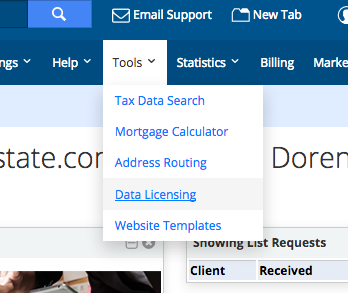
- Select "Data Licensing" from the "Tools" menu item.
|
 |
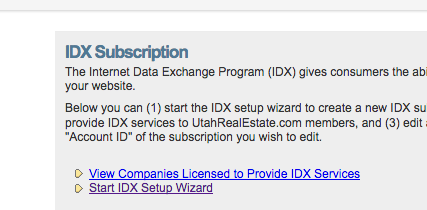
- Click the "Start IDX Setup Wizard" link.
|
 |
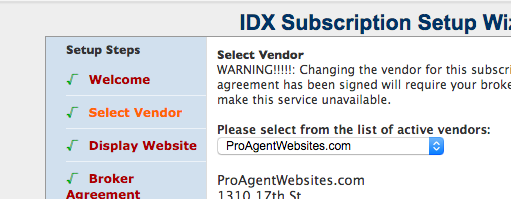
- You'll need to complete each step.
Be sure to select "ProAgentWebsites.com" as your vendor.
Enter your website domain name under the Display Website section.
Once you are approved by your broker you'll be able to pay UtahRealEstate.com the one-time fee of $50.00 and finish the IDX RETS signup. At that time UtahRealEstate.com will notify us that you're ready to go and we can build your site.
|
 |
If you have any questions regarding UtahRealEstate.com Listing feeds please contact
ProAgentWebsites.com Customer Service
or call
UtahRealEstate.com at (801) 676-5400.